Terrain, W3D, and Client Presentation
The W3D layer is responsible for turning the game's logical world into the scene the player sees, but it should not be mistaken for the owner of the world's rules. The Zero Hour device tree divides this work into concrete client implementations such as W3DGameClient.cpp, W3DDisplay.cpp, W3DView.cpp, W3DScene.cpp, W3DTerrainVisual.cpp, and a family of terrain, road, bridge, water, shadow, and particle buffers.
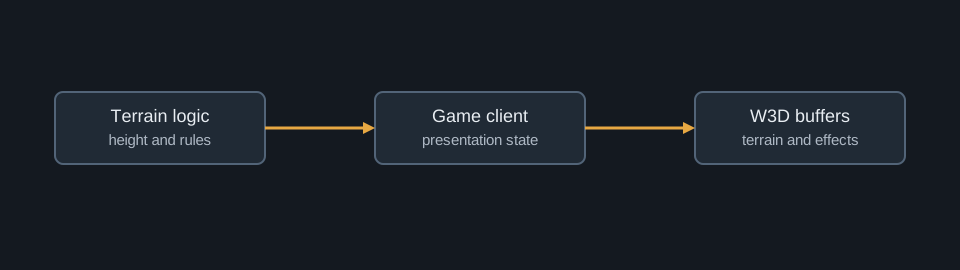
Terrain is stored and represented twice
The game-engine layer contains terrain logic, including GameLogic/Map/TerrainLogic.cpp. The device layer supplies W3D terrain presentation through files such as W3DTerrainVisual.cpp, TerrainTex.cpp, W3DRoadBuffer.cpp, and W3DBridgeBuffer.cpp. This distinction is important for source reading. A visual buffer can determine how a road or bridge is tessellated and drawn, but movement rules, height queries, and gameplay interaction must be traced through logic-side terrain and object systems.
The logical terrain can be understood as a function queried by gameplay systems. For a horizontal map location (x,y), the simulation supplies a terrain height or related gameplay property:
$$ z = H(x,y). $$
The renderer consumes an equivalent geometric surface in order to construct vertices, materials, decals, and draw buffers. The visual mesh may sample, subdivide, simplify, or batch its representation, but those presentation operations do not establish gameplay passability. A route query and a terrain draw can both depend on the same map data while answering different questions.
map and logic terrain
    -> height, passability, object interaction
    -> authoritative object positions and visibility state
                 │
                 ▼
client representation and W3D visual systems
    -> terrain mesh, materials, roads, bridges, shroud, effects
    -> scene and display submission
The W3D presentation pipeline
W3DGameClient connects the game-facing client work to concrete W3D presentation. W3DView establishes the view of the scene. W3DScene organizes scene-facing work. Terrain, road, bridge, water, shadow, particle, and status systems build specialized visual representations. The output is a device-facing scene, not a second simulation.
In simplified form, a world-space point p_w is transformed to clip space by the familiar camera and projection chain:
$$ p_c = P V p_w, $$
where V is the view transform and P is the projection transform. The equation describes the rendering responsibility of the W3D view path. It says nothing about whether a unit may occupy p_w. That permission comes from logic terrain, locomotion, collision, and object rules.
for each client-visible object or terrain region:
    obtain visual state and geometry representation
    transform through the current W3D view
    submit the required scene and buffer work
This is pseudocode, not a claim about the engine's exact draw-call sequence. It makes the consumer relationship explicit: presentation reads available state and translates it into device work.
Roads, bridges, and related but different systems
Roads and bridges share terrain-facing authoring and rendering concerns, yet they should not be collapsed into one gameplay feature. W3DRoadBuffer.cpp and W3DBridgeBuffer.cpp identify dedicated presentation paths. A road buffer can reconstruct and tessellate a visual overlay, while a bridge can have additional object, traversal, or destruction behavior that must be traced through its own logic-side owner. Shared map types or adjacent source paths are not proof of identical runtime semantics.
The same caution applies to decorative terrain detail. A feature can conform to terrain and look physically embedded without becoming a collision object, target, owner, or AI participant. Those properties require evidence at the logic-object boundary rather than in visual buffer code.
Client-visible state is not its source
The separation applies to other client-visible systems. W3DShroud.cpp and W3DStatusCircle.cpp present gameplay state. W3DParticleSys.cpp and shadow implementations present effects. W3DView.cpp determines how the scene is viewed. These systems consume or mirror authoritative state, but they are not ordinarily the origin of it.
A useful tracing discipline
When investigating a visual feature, begin with the client-side representation and identify the data it consumes. Then trace that data backward into the authoritative object, terrain, or game-logic system. When investigating a gameplay rule, reverse the direction: establish the simulation owner first, then inspect which W3D component projects the result to the player.
This approach prevents a common error in legacy-engine analysis: treating a visible implementation as the complete feature. In Generals, as in most RTS engines, simulation and presentation are tightly coordinated but deliberately separate systems.